
Version 1.2.15 of Winter CMS is available now, and it contains a fix for a critical security issue. If you run Winter, please update today. You can update your installation by running composer update in the root folder of your Winter project, and we recommend updating your plugins at the same time, especially the first-party Winter plugins.
We are keeping the details of that fix deliberately thin until the advisories are released in the next couple of days, and the release notes for v1.2.15 are the right place to look. The most useful thing any of us can do right now is get installs updated.
With that out of the way: the last release we wrote up here was v1.2.8, which means seven builds of work have landed since — v1.2.9 through v1.2.15 — and most of it is the good kind. Here is what we think you will notice first.
A new code editor, and a clearer name for where you use it
The code editor that powers the Theme Editor, the codeeditor form field and every other place Winter shows you code has been rebuilt on Monaco, the editor that VS Code is built from. Ace served us well for a decade, but it had fallen behind on the things that matter most when you are editing Twig: accurate highlighting inside mixed HTML, matched tag pairs, and an editor that does not forget where you were.
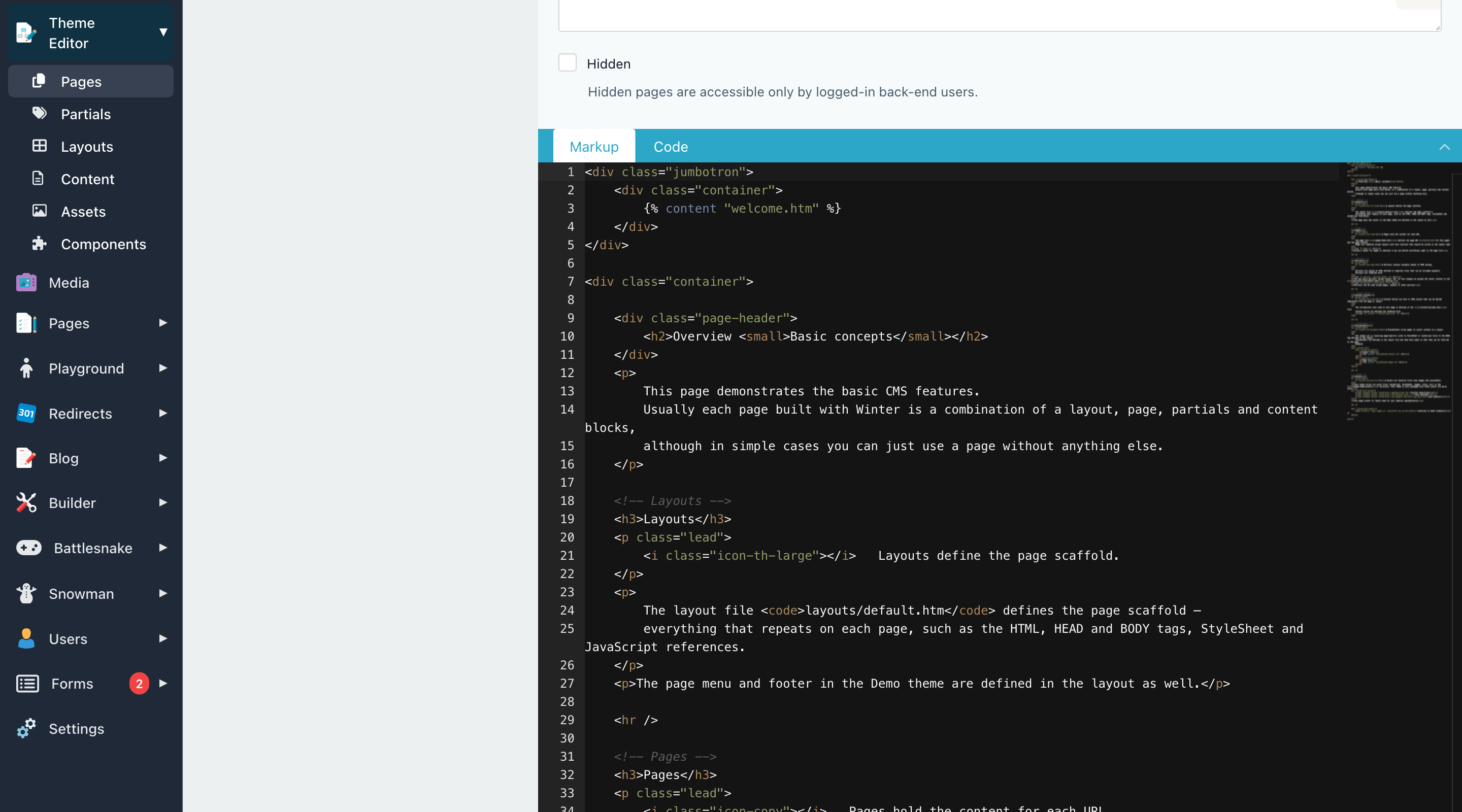
Monaco arrived in v1.2.10 and we have spent the two releases since smoothing the edges. Twig mode now runs the full HTML tokeniser underneath it, so paired tags highlight correctly. Switching between editor tabs no longer loses your cursor position, selection, folding or undo history, and no longer produces a flash of unstyled content on the way. You can drag content files, partials and links into the editor again. The old Ace keyboard shortcuts for duplicating a selection (Ctrl/Cmd+Shift+D) and going full screen (Ctrl/Cmd+Shift+F) are back, and the default Twilight theme has been retuned to match the one you remember.
While we were in there we also renamed the backend's CMS menu item to Theme Editor. It has not been a section for managing "the CMS" for a long time — it is where you edit the files that make up your theme, and the menu now says so.
Reordering records without leaving the list
Changing the order of records used to mean going to a dedicated reordering page, dragging things around, and coming back. In v1.2.13 you can set sortable: true on a list and reorder the records right where you are looking at them.
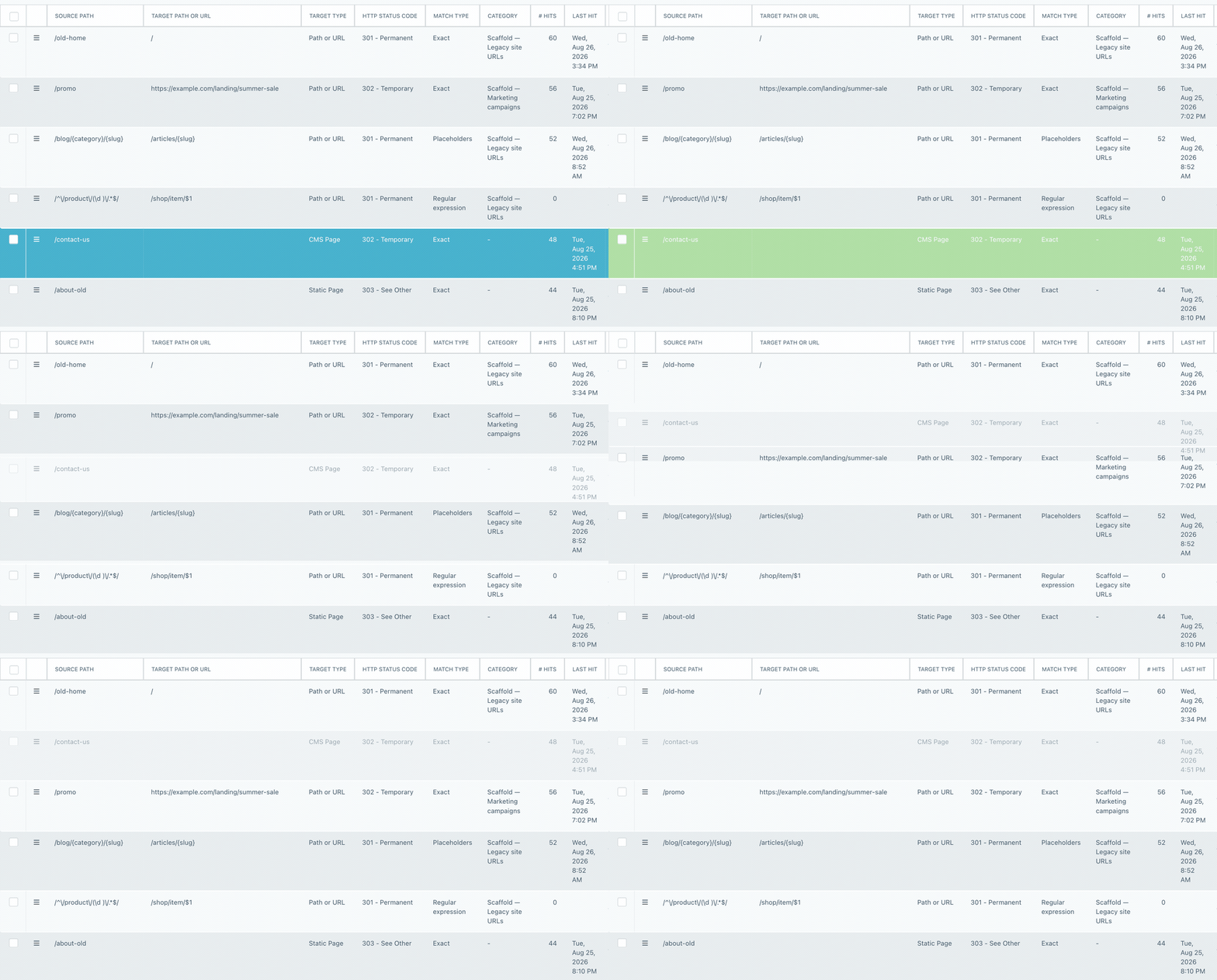
Each row grows a drag handle, and dropping a row writes the new order to the model's sort order column over AJAX. The model needs the Sortable trait, and because the whole list has to be visible in one fixed order, a sortable list cannot also use search, filters, pagination or a custom defaultSort — configure both and Winter tells you so rather than quietly showing you a half-sorted page. The same drag-and-drop works for relations managed by the RelationController, which gained matching support in HasSortableRelations. The Reorder behavior is still there for tree structures and for cases where a standalone page genuinely is the better answer. You can read more in the list documentation.
Moving between records without going back to the list
If you have ever worked through a list of records one at a time, you know the loop: open a record, change it, save, go back, find your place, open the next one. Version 1.2.14 added previous and next navigation directly to backend forms, so that whole round trip becomes one click.

The control sits in the form header and shows where you are in the set, so a long editing session stops feeling like a maze. In v1.2.15 it learned to follow a named list, and a controller can override which list it walks, which matters when a form is reachable from more than one place.
Grouping fields with the new fieldset widget
Forms with a lot of fields have always had two ways to show that some of those fields belong together: a section heading, which is only a label, or a nested form, which changes the shape of your data. The new fieldset form widget added in v1.2.14 gives you the third option most forms actually want.
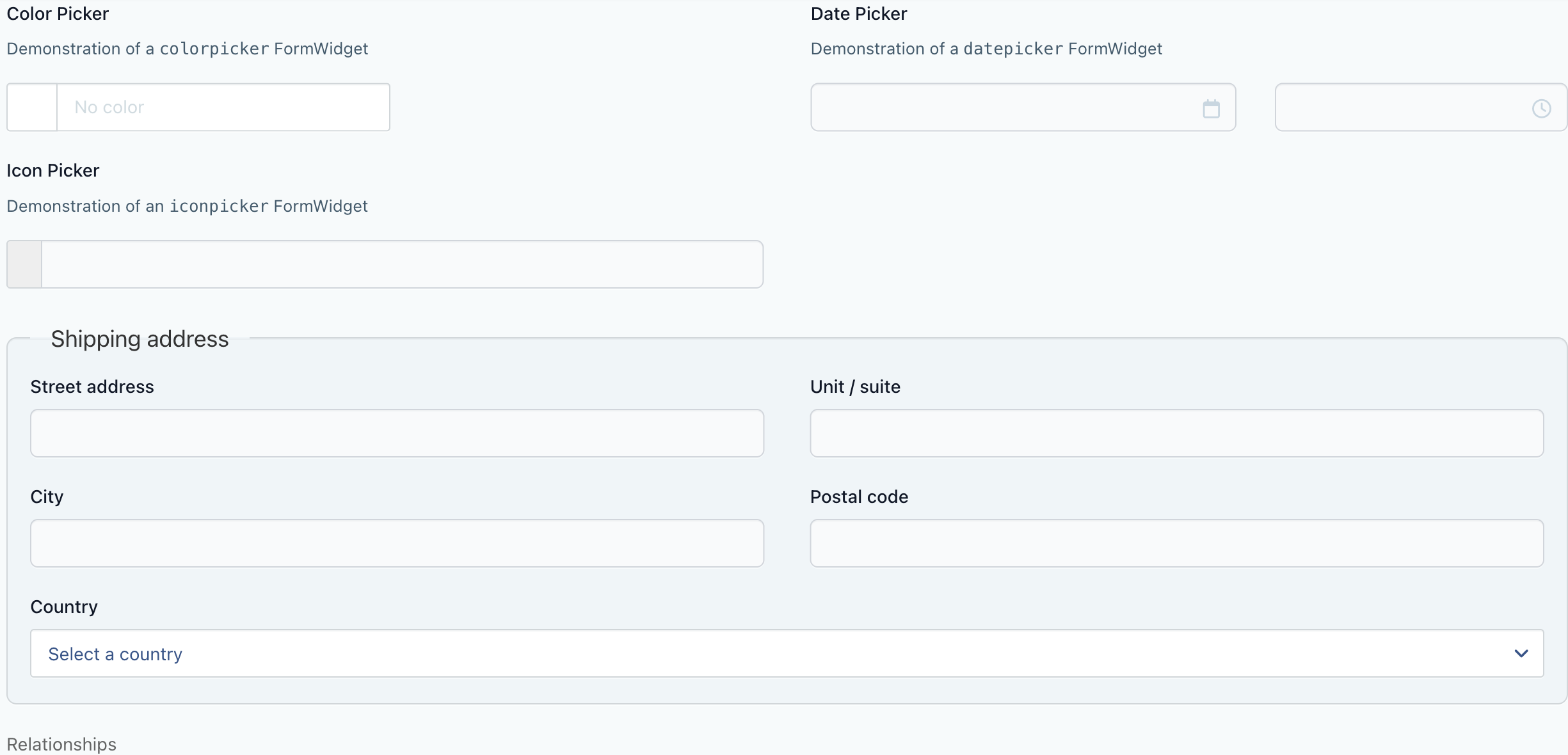
Fields inside a fieldset are grouped visually inside a real <fieldset> element with a legend, but they remain part of the parent form and submit in the same array as everything else. Nothing about your model or your save handling has to change to use one. The fieldset documentation has the full configuration.
Acting on every record that matches a query
The "select all" checkbox at the top of a list has always meant "select everything on this page", which is reasonable until you have four hundred records across twenty pages and a bulk action you want to apply to all of them.
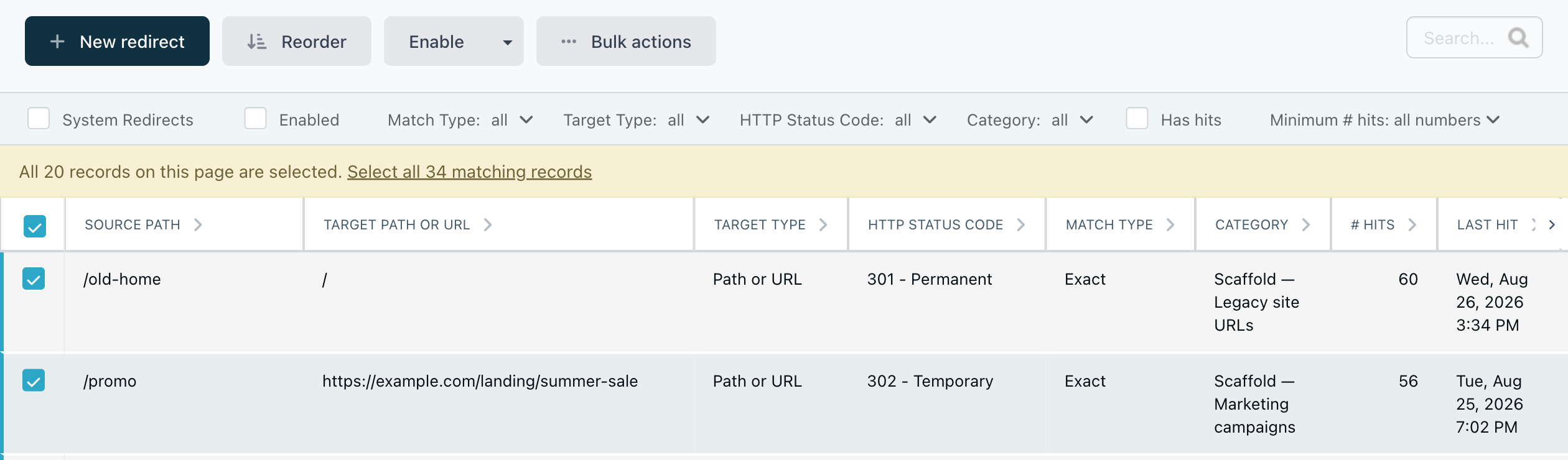
In v1.2.15, ticking that checkbox offers you the rest. Accept it and the bulk action applies to every record matching the current filters and search, not just the ones in front of you, and the confirmation dialog tells you plainly how many records that is. Newly scaffolded controllers get this turned on by default; existing lists opt in with selectAllMatching: true.
Seeing and clearing failed logins
Winter has always suspended an account after too many failed login attempts, but until v1.2.11 there was no way to see that from the backend — which made the usual support conversation ("I can't log in", "try again in a bit") more guesswork than it needed to be.
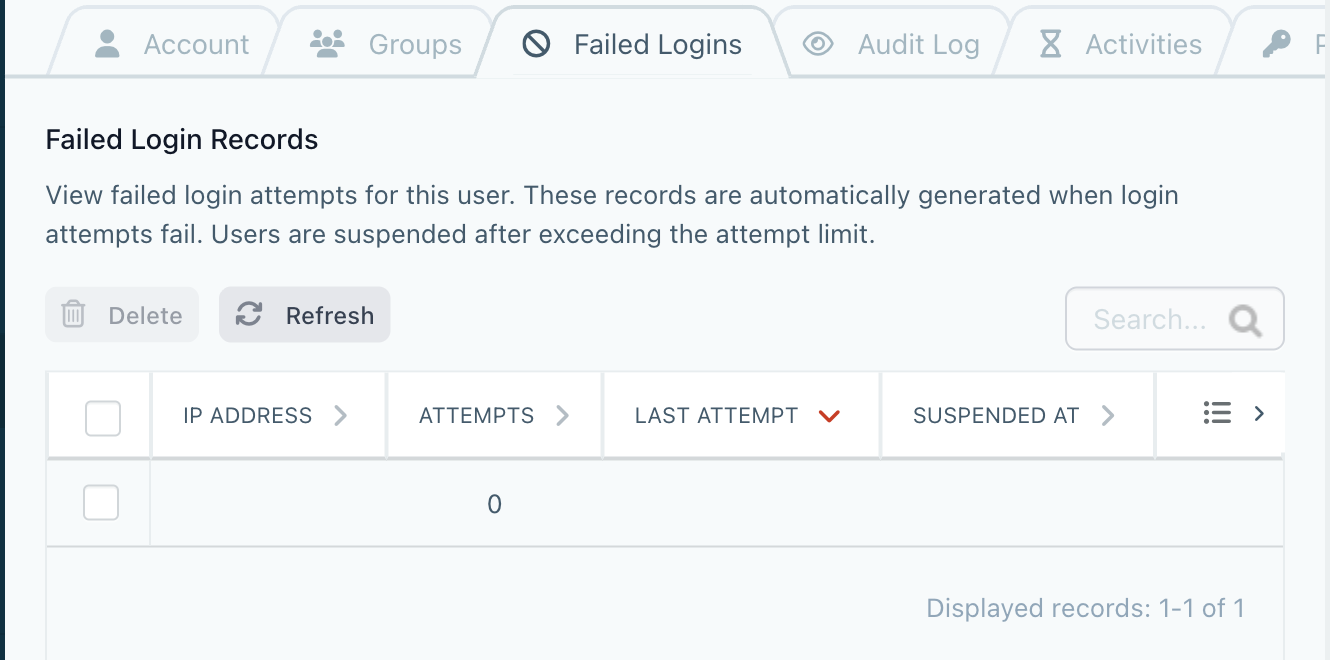
Every administrator's account form now has a Failed Logins tab listing the throttle records for that user, and you can clear one to unthrottle an IP address immediately. We reorganised the rest of the account page while we were there, and added the option to generate a password when creating a user rather than inventing one yourself, as long as the new user is being sent a notification email.
Faster tests, and fewer queries
The PHP test suite now runs roughly six times faster on CI. Most of that came from no longer rebuilding the database for every test case, and the same win is available to plugin authors through the new MigratesDatabaseOnce trait — add it to your test suite and your own CI gets shorter too. We also expanded AGENTS.md in the core repository with real guidance on the asset pipelines, developing against symlinked plugins, iterating on backend styling and running phpcs before you push, which has made working on Winter with an AI assistant markedly less frustrating.
There is less to photograph on the runtime side, but it adds up: front-end requests make fewer queries for CMS templates, theme data and request logs; Halcyon resolves template modification times without a query per check and caches a miss for a template that does not exist, so rendering stops asking the datasource for an override that was never there; and model method relations are resolved once rather than on every access.
Everything else
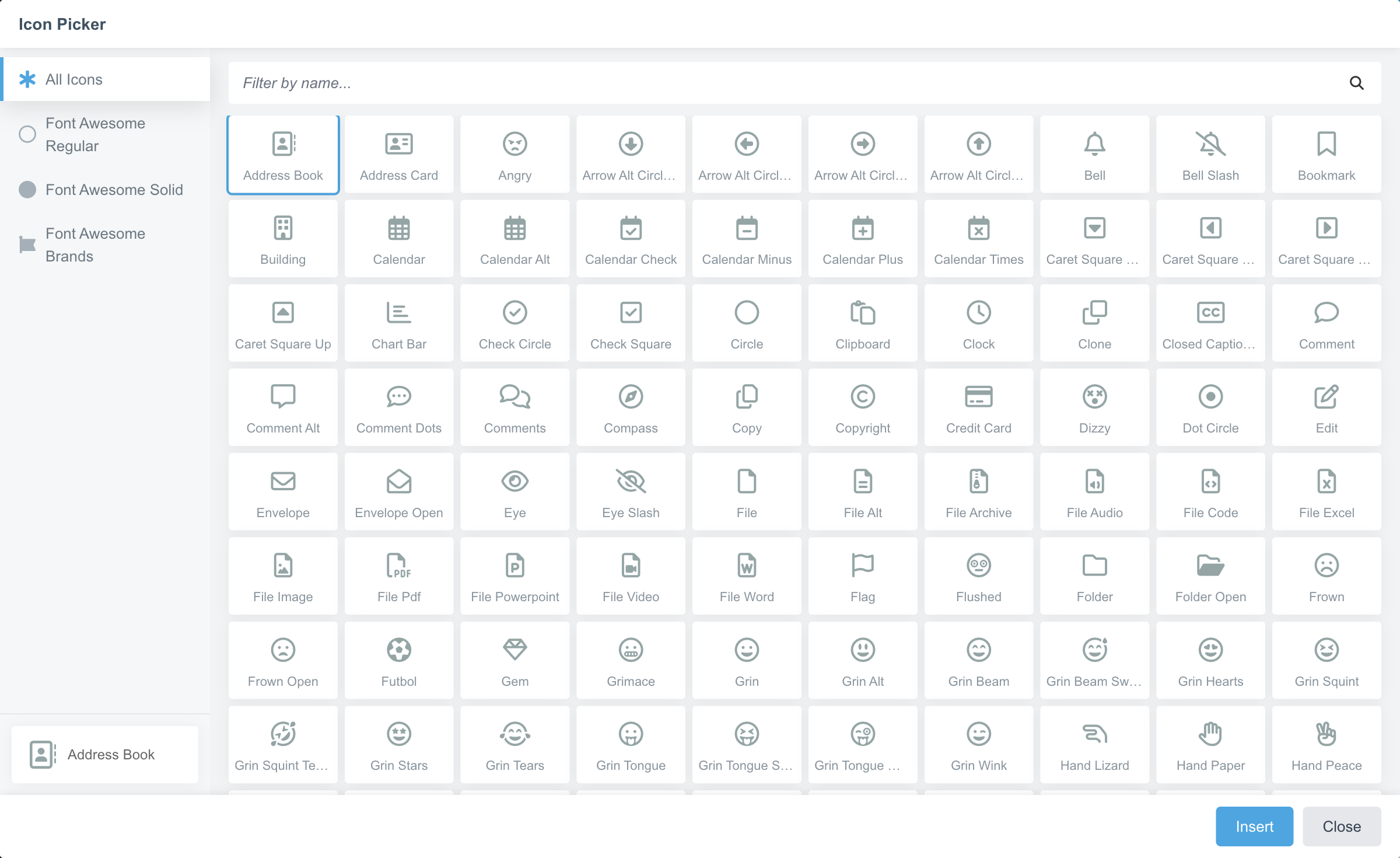
A release spanning seven builds has a long tail, and some of it is worth pointing at. The icon picker has been compacted so it no longer takes over the screen, and it behaves properly inside dynamically added form fields now.
Grouped repeaters gained a search box and a multi-column palette, which makes a long list of block types usable. The Relation form widget gained expand and collapse controls, with an optional tree display and quick actions for expanding everything, collapsing everything or expanding only what is selected. There is a tel field type. Option icons now show in select2 dropdowns that accept custom values. Confirmation dialogs accept your keyboard input the moment they open instead of a beat later. The datepicker and the single file upload both have accessible names. The Winter logos have been refreshed and the backend brand colours are exposed as CSS variables, which makes theming the backend considerably less of a fight.
On the developer side, Laravel's maintenance mode (artisan down and artisan up) works again after being broken by the move to Laravel 9, and schedule:list, schedule:work and schema:dump are all supported. PHP 8.4 and 8.5 are both covered by the test matrix. Mail settings can take failover transports. There is now an official Docker image for Winter, built automatically on every release.
The plugin ecosystem has grown too. OFFLINE.Mall has been forked as the first-party Winter.Mall. There is a new Microsoft Graph API mail driver and a Microsoft 365 and Azure AD provider for Winter.SSO. For anyone following Winter v1.3, Winter.LaravelBoost and Winter.LaravelNightwatch are both published. The French, Italian and Ukrainian translations have all had attention, and we are very glad to say that Damien Mathieu has joined us as a core maintainer.
A few things to check when you upgrade
Three changes may need a small edit on your side. From v1.2.14, a public controller method used as a page action must be named in lowercase — coming_soon() rather than comingSoon() — and dashed URLs are normalised to snake_case, so /coming-soon resolves to coming_soon(). If you have a camelCase page action, rename the method and its view file to match; the published URL does not need to change.
From v1.2.15, Winter no longer overrides Laravel's e() helper, so e() behaves exactly as Laravel defines it, with $doubleEncode defaulting to true. Code that leaned on the old override's handling of non-string values should pass a string, or cast before calling. In the same release, Ini parsing returns values as they are written in the file instead of substituting PHP constants that happen to share a name.
Thank you
There is a great deal more in the release notes for v1.2.15 and in the notes for each build between v1.2.9 and v1.2.14, so it is worth a read through.
We hope you enjoy the update — and please do apply it today. If you have any questions or comments, come and join us on Discord. If you spot any issues, report them on our GitHub repo and we will get to them. If you would like to support the project further, you can sponsor us on OpenCollective or GitHub Sponsors, which is what lets us keep doing this.


